
- Home
- Digital learning
- 720° VR Campus Tour
720° VR Campus Tour
Campus tours built from 720° panoramic photos, which visitors explore interactively online in a web browser, on a phone or tablet, or with a VR headset.
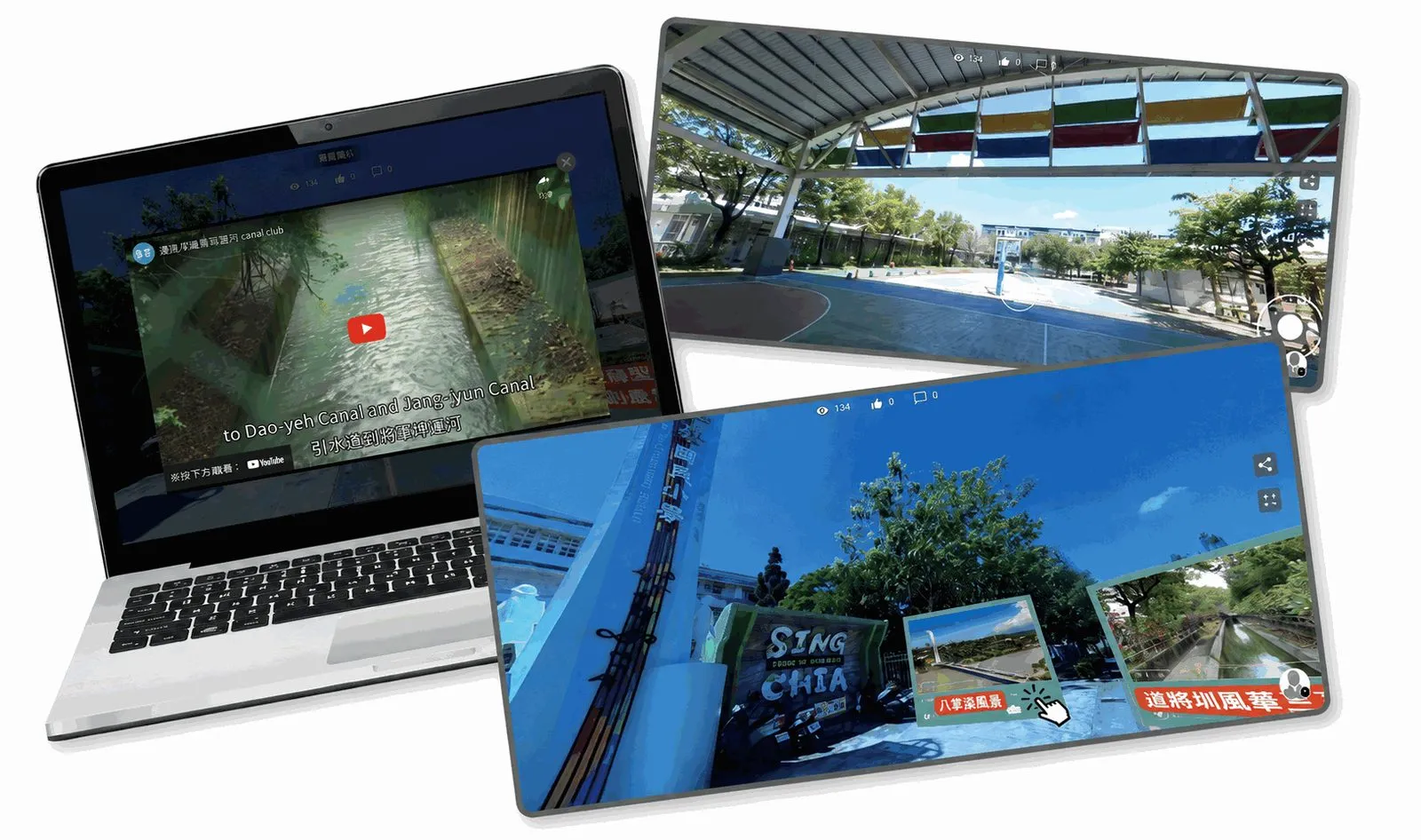
Your campus as an interactive online tour
Using panoramic photography, we record the spaces of a campus as 720° panoramas. Visitors simply open a web page or put on a VR headset to stroll around the campus online, and multimedia can be added wherever it helps to make the tour complete.
720° campus tours
The 720° panorama system suits campus tours, introducing facilities, showcasing special spaces and situational learning. Schools photograph their key locations as panoramas, then use scene links and attached tags to guide visitors along a route as they explore.
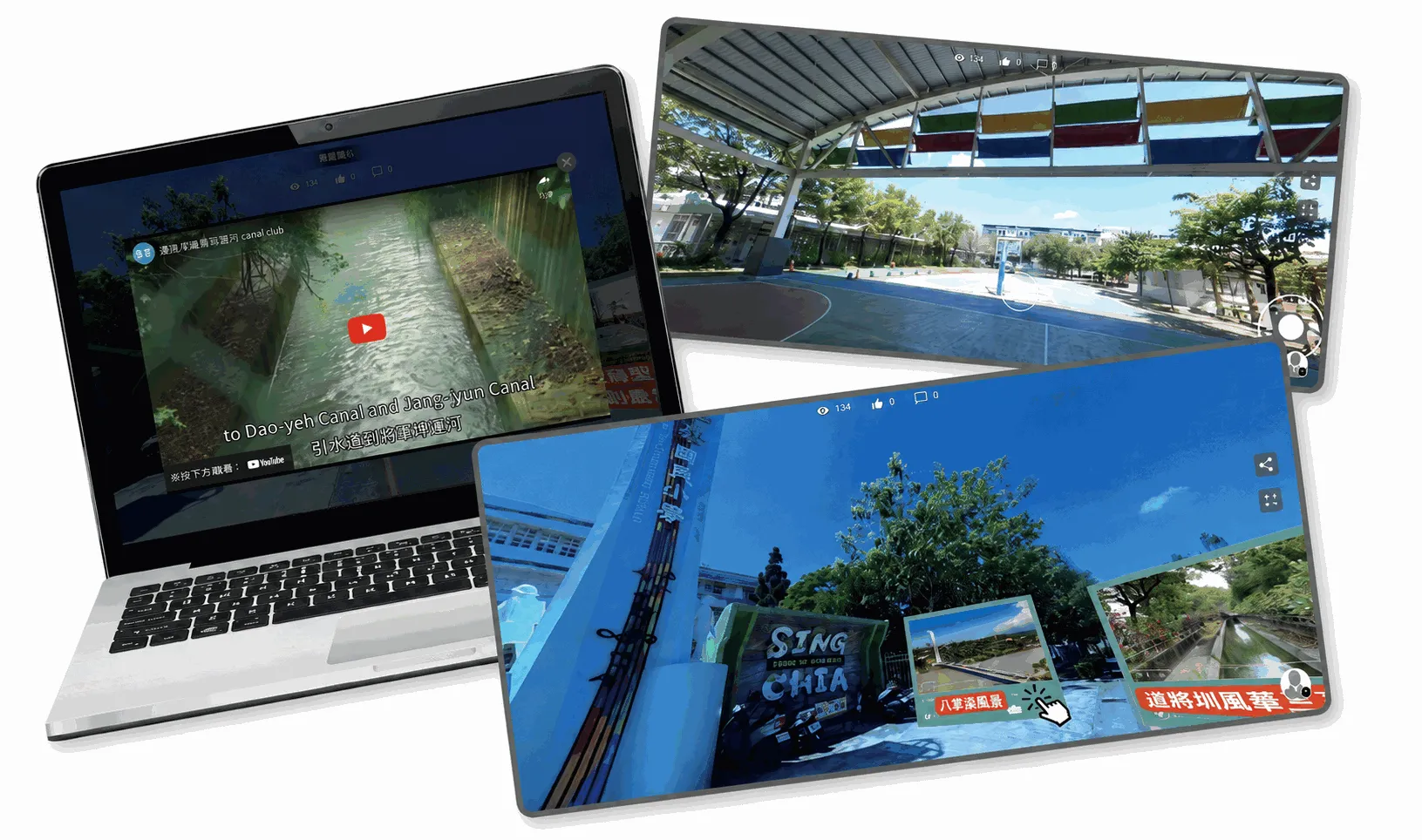
System features
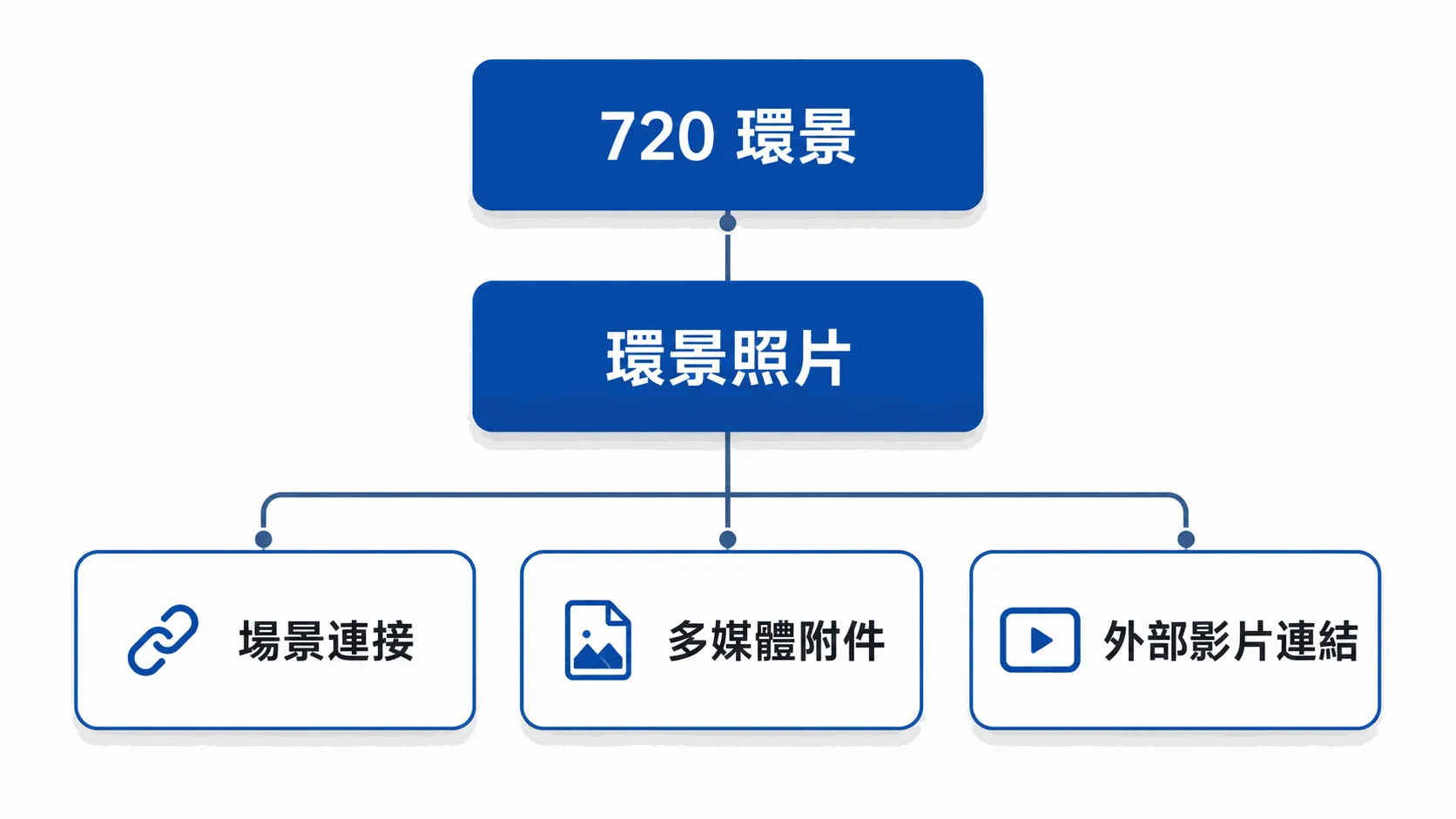
720° panoramas
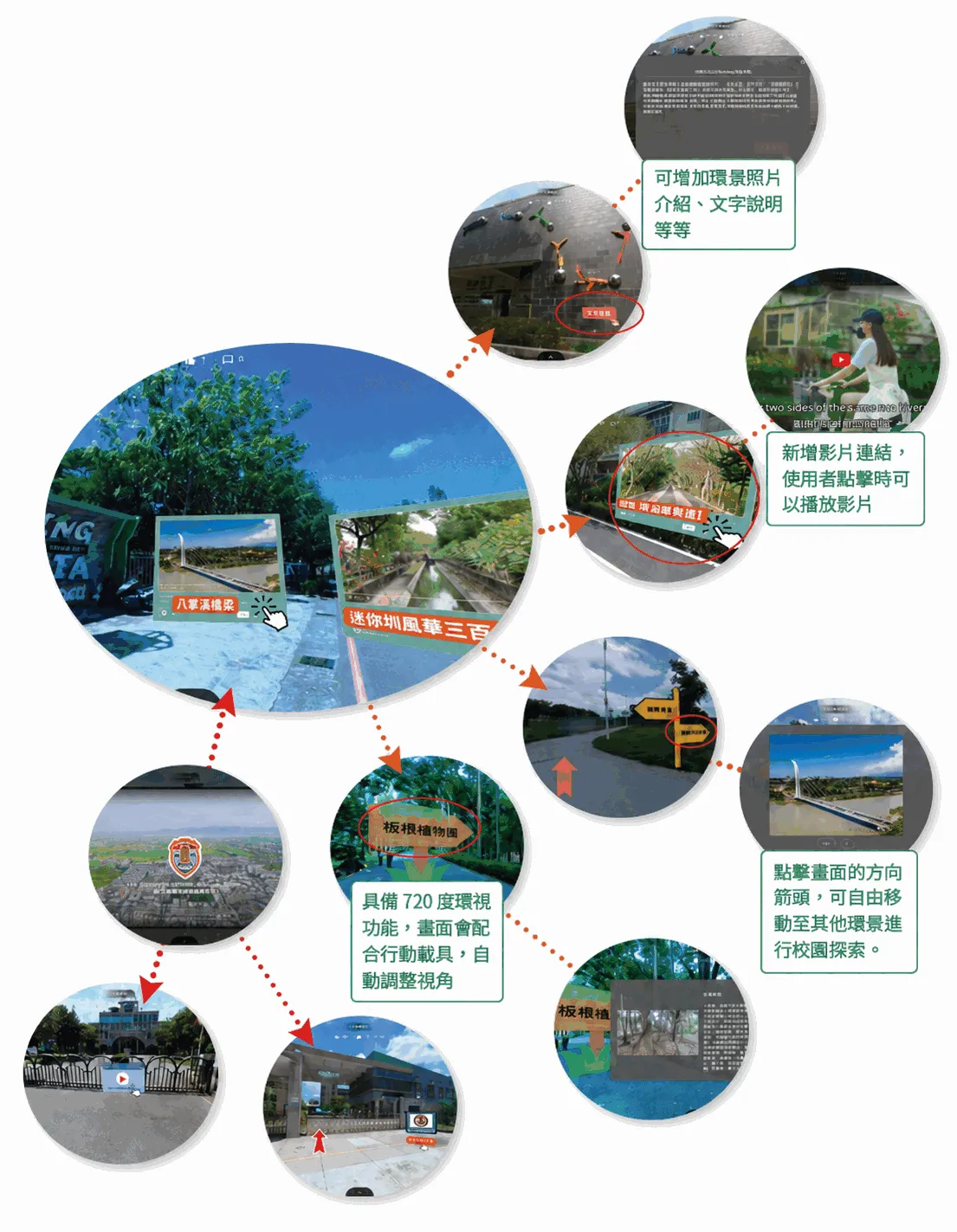
Full 720° viewing, with the view adjusting automatically as a phone or tablet moves.
Scene links
Links between panoramas. Visitors click the arrows in the picture to move freely to the next panorama and explore the campus.
Multimedia attachments
Add attachments inside any panorama, such as photos and text descriptions.
External video links
Add links to external videos, which play embedded in the tour when clicked.
Specifications
LiveABC plans the shoot, links the scenes and creates the tags around how the school wants to present its campus, building an online panoramic tour that visitors can browse, interact with and extend with learning content.
- We photograph the campus in 720° on site and create the tags.
- The panoramas are linked on a cloud server and presented on a web page.
- Visitors explore the campus online in 720° from a phone or tablet.
- Each institution gets one tour with up to 30 panoramas.
- Multimedia tags can be added to the tour.
- Multimedia items can be added as needed.
- Each tour holds up to 30 learning tags.
- Tags can embed images, video, audio and text.
Interaction and tags in the tour
Direction arrows, photo introductions, text descriptions, video links and other multimedia can be added to the panoramas, so visitors learn about each space and its learning content as they explore the campus.
Campus tours you can visit
Choose a campus below to open its tour and see for yourself how an online panoramic tour works.
LiveABC's own language schools
Chiayi City English Smart Learning City (Innovative Education project)
Who it's for
- Schools and universities that want to show their campus online
- Introducing facilities and showcasing special spaces
- English programmes that want situational learning set in the real campus